The non-obvious differences between the FLX4 and CDJs
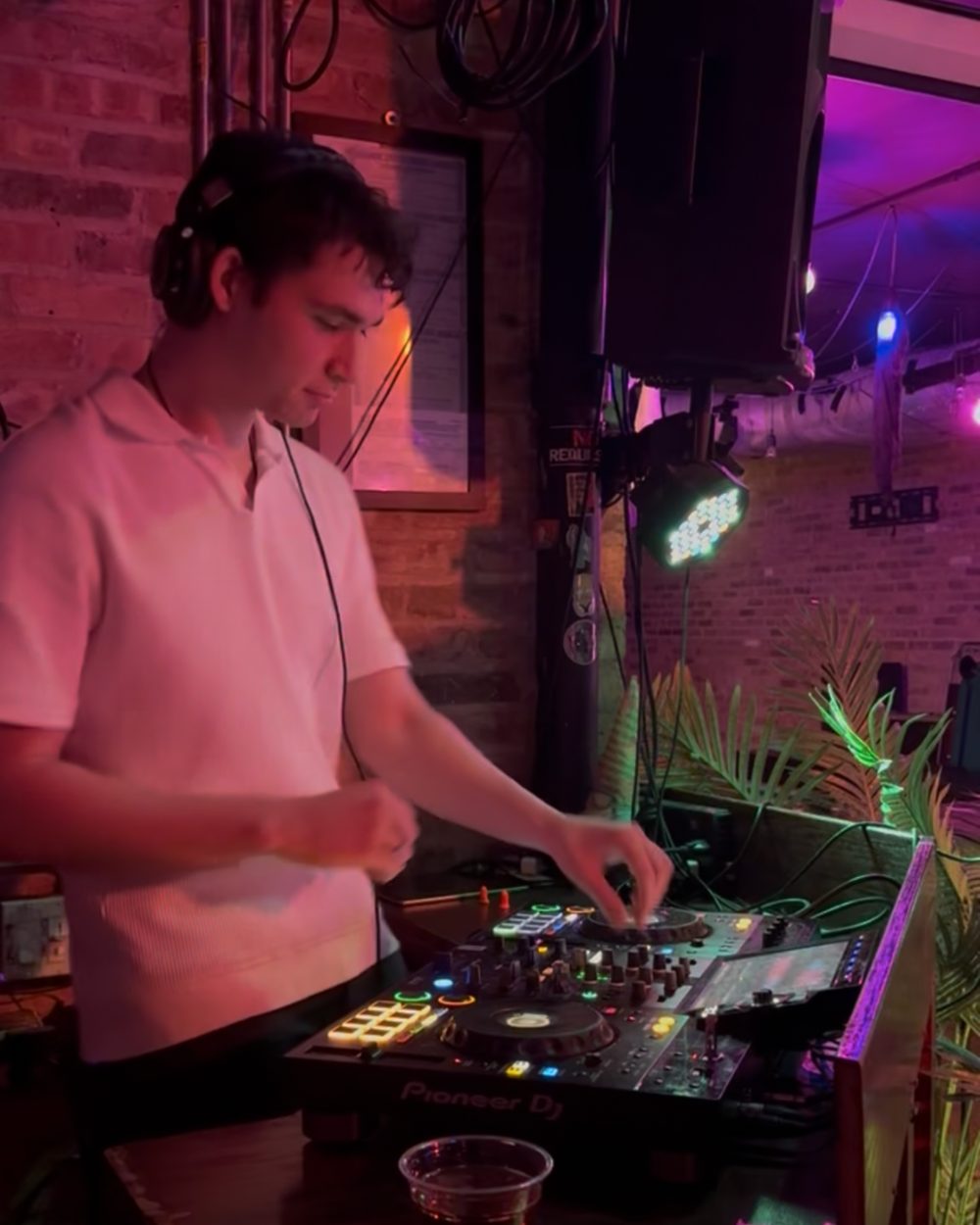
I started on the Pioneer DDJ-FLX4 with rekordbox, like a lot of beginner DJs. Since then, I’ve had to get used to two other kinds of setups: the all-in-one XDJ-RX3 that a lot of smaller bars have, and the CDJs and mixer you find at bigger clubs.
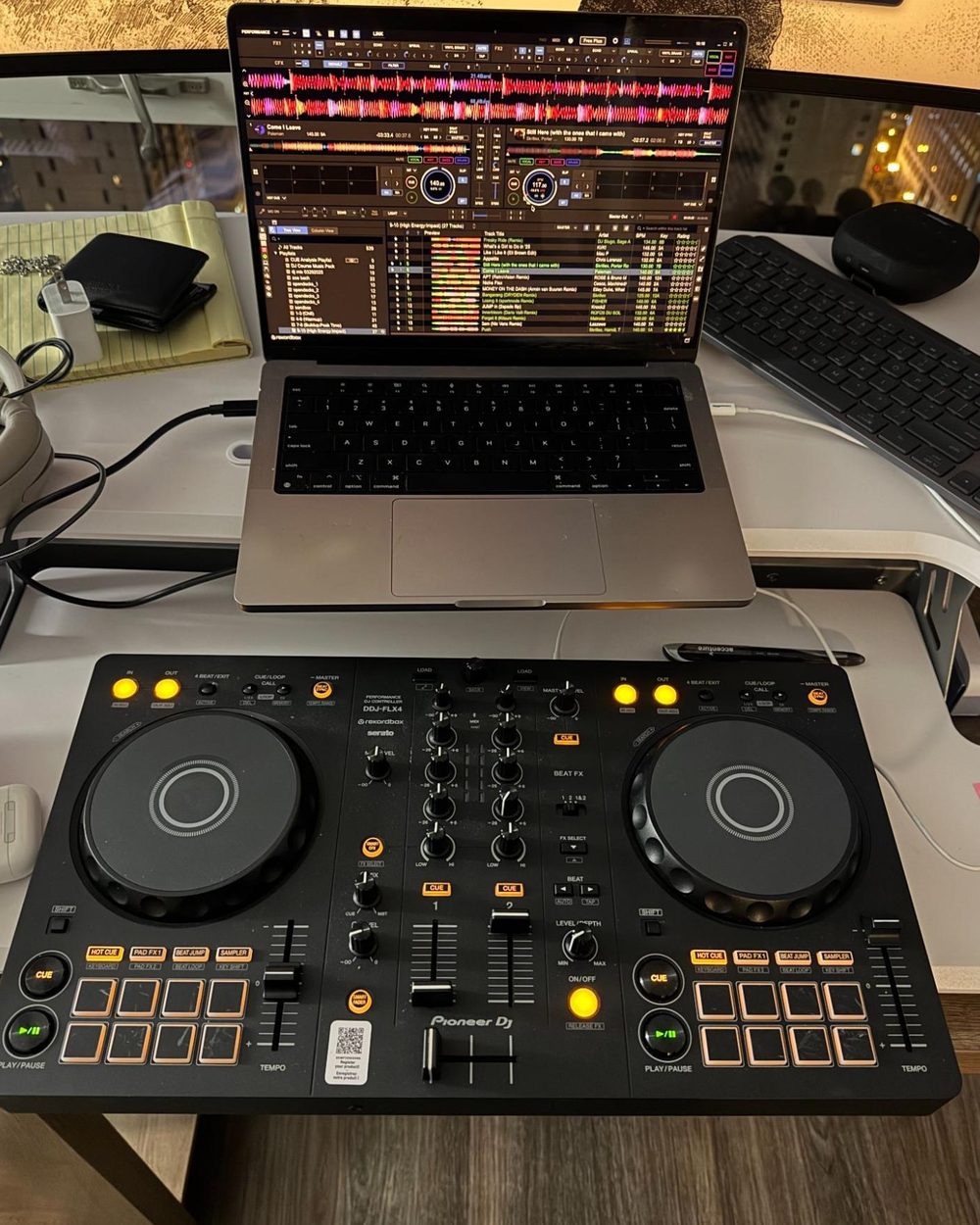
A few key things work differently, and some of the most useful features aren’t ones you’ll find just by tinkering during a set. So I did some research and put together my notes on the differences that matter most.
The three setups
- DDJ-FLX4 + rekordbox: a controller plugged into your laptop. The music, the waveforms, and your library all live in rekordbox on the laptop.
- XDJ-RX3: an all-in-one unit, with two decks and a mixer in one body and a big touchscreen in the middle. It plays music straight from a USB stick, no laptop needed. This is what a lot of smaller bars have.
- CDJs and a mixer: two CDJ-3000 players with a separate mixer, like the DJM-900NXS2, between them, so three pieces of gear working together. This is the standard setup at bigger clubs.
Pioneer XDJ-RX3
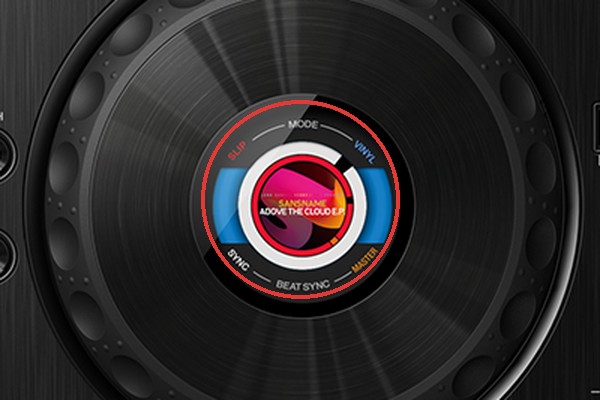
Jog wheel screens
Each jog wheel has a small screen in the middle. It shows things like whether vinyl mode, sync, or master is turned on, so you can check a deck’s state at a glance.
Looping
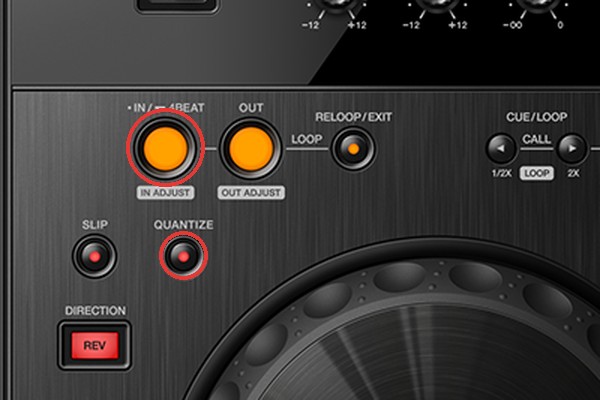
- Hold down IN to set a 4-beat loop. The loop shows up on the jog wheel screen.
- Turn on Quantize so loops and beat jumps snap to the beat and land cleanly.
The touchscreen
The middle screen is a touchscreen, and it’s where you browse your music. Search and Menu are along the top, and the browse dial and Tag button are to the right:
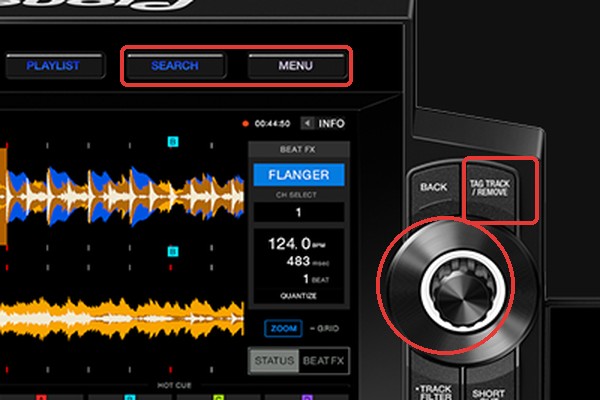
- Sort your tracks. Tap Menu while browsing to sort by BPM, key, and more.
- Search by name. Tap Search to type in a track name.
- Scroll faster. While browsing, hold down the dial to jump by letter or by page.
- Find tracks in the same key. Tap Info on a track to see its key, then tap the key to see other tracks in that key.
- Preview without loading. Hold your finger on a track’s waveform to listen to it without loading it onto a deck.
- Save tracks for later. Add a track to the Tag List to “half pull” it when you know you’ll want to play it soon.
- Check what you’ve played. The History playlist lists every track from your set.
USB
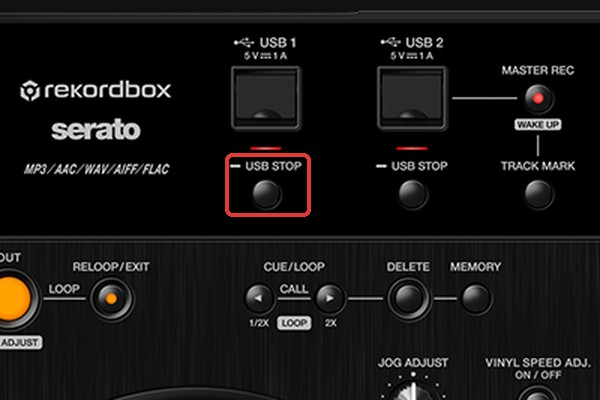
The XDJ-RX3 can play music from a laptop or a USB stick. I prefer USB, since there’s no laptop to set up. Export your playlists to the USB from rekordbox first (here’s how I organize my library).
When you’re done, hold the USB Stop button before pulling out the stick. That safely ejects it.
CDJ-3000s and a DJM-900NXS2
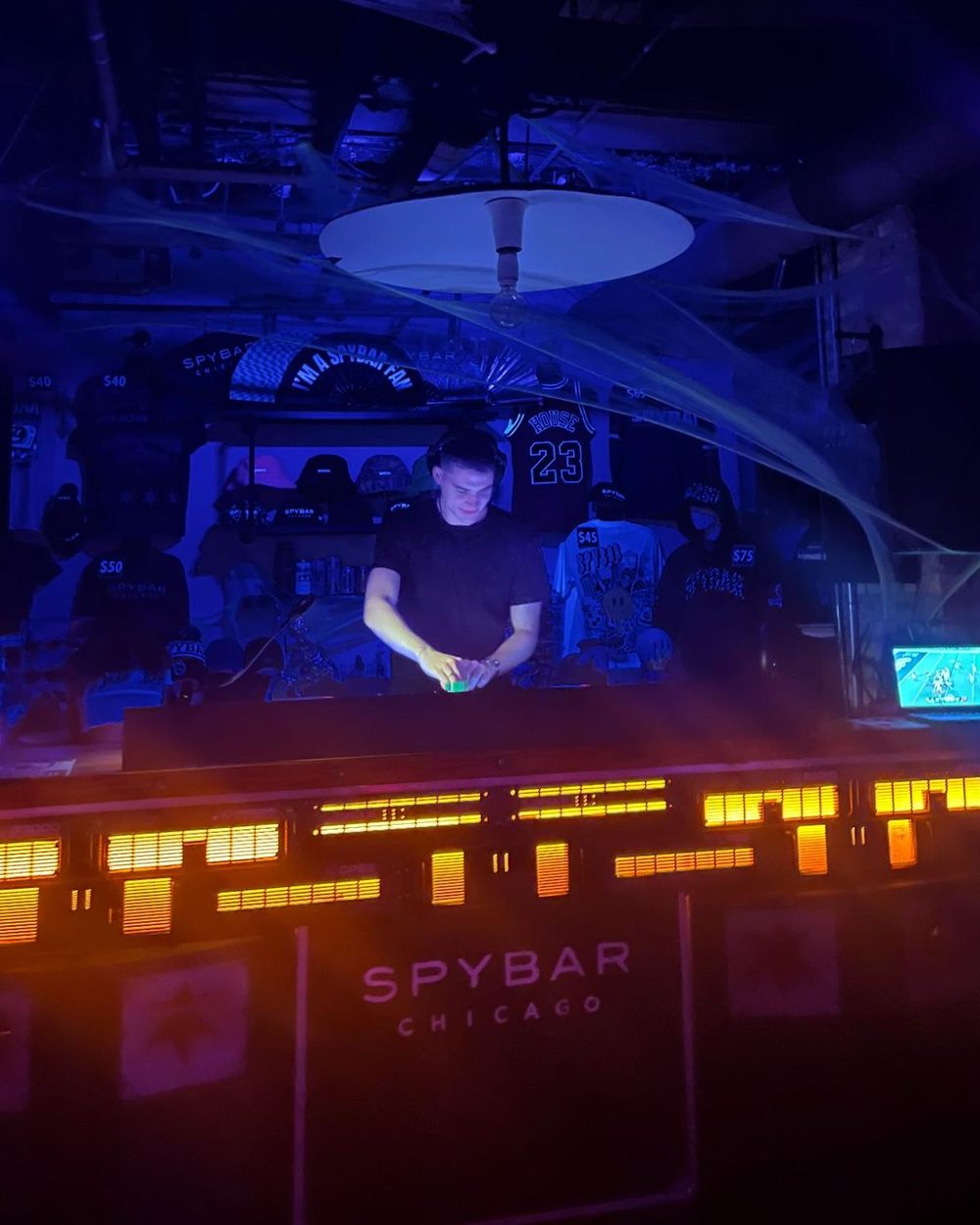
Linked waveforms
When the CDJs are connected with a link cable, each player shows both decks’ waveforms stacked on top of each other. The waveform for the player you’re standing at is the bigger one.
Don’t count on it, though. The players won’t always be linked, so get used to mixing without a stacked waveform to look at.
Jog wheels
On a CDJ, slowly turning the jog wheel barely changes anything. To nudge a track into time, use quick, sharp nudges. It’s a bit like vinyl: you have to move the platter faster than the track is playing.
Mixer FX and BPM
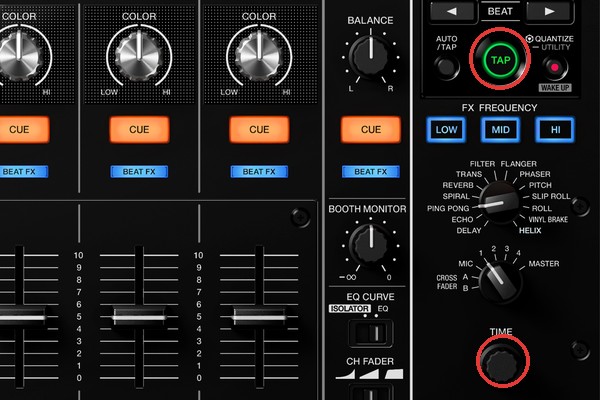
The DJM-900NXS2 tries to detect the BPM on its own, so its beat effects run at the right speed. If it guesses wrong, hold Tap and twist the Time dial to set the BPM yourself. If the BPM display is flashing, the effects aren’t synced to the track.
Looping and performance features
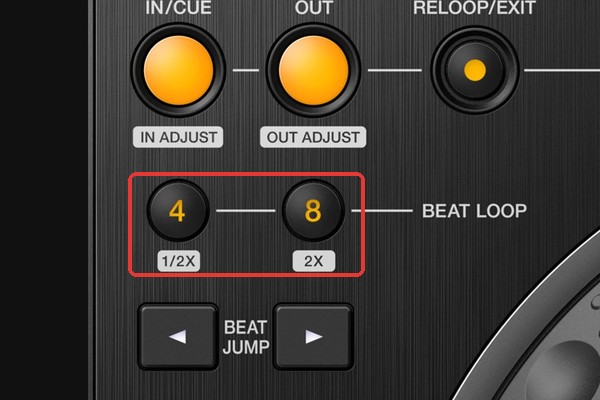
- On the player: hot cues, In/Out loops, 4 and 8 beat loop buttons right under In and Out, and beat jump
- On the screen: beat loop and beat jump
Why I stopped using the FLX4’s pad effects
CDJs don’t have the quick effect pads that the FLX4 has. I used to love the slip loop pad effect, but slip loops work completely differently on a CDJ.
So I stopped using the pad effects on the FLX4 too. If they’re not part of how I mix, I won’t miss them when I’m on CDJs. If you’re practicing at home on a controller for gigs on club gear, it’s worth practicing with only the features both have.
Quick checklist before playing on new gear
- Export your playlists to a USB stick in rekordbox, and bring a backup stick.
- Don’t depend on stacked waveforms.
- Check the mixer’s BPM before using beat effects.
- Hold USB Stop before pulling out your stick.
I DJ as Max Control. Hear my mixes on SoundCloud, or see more on my homepage.